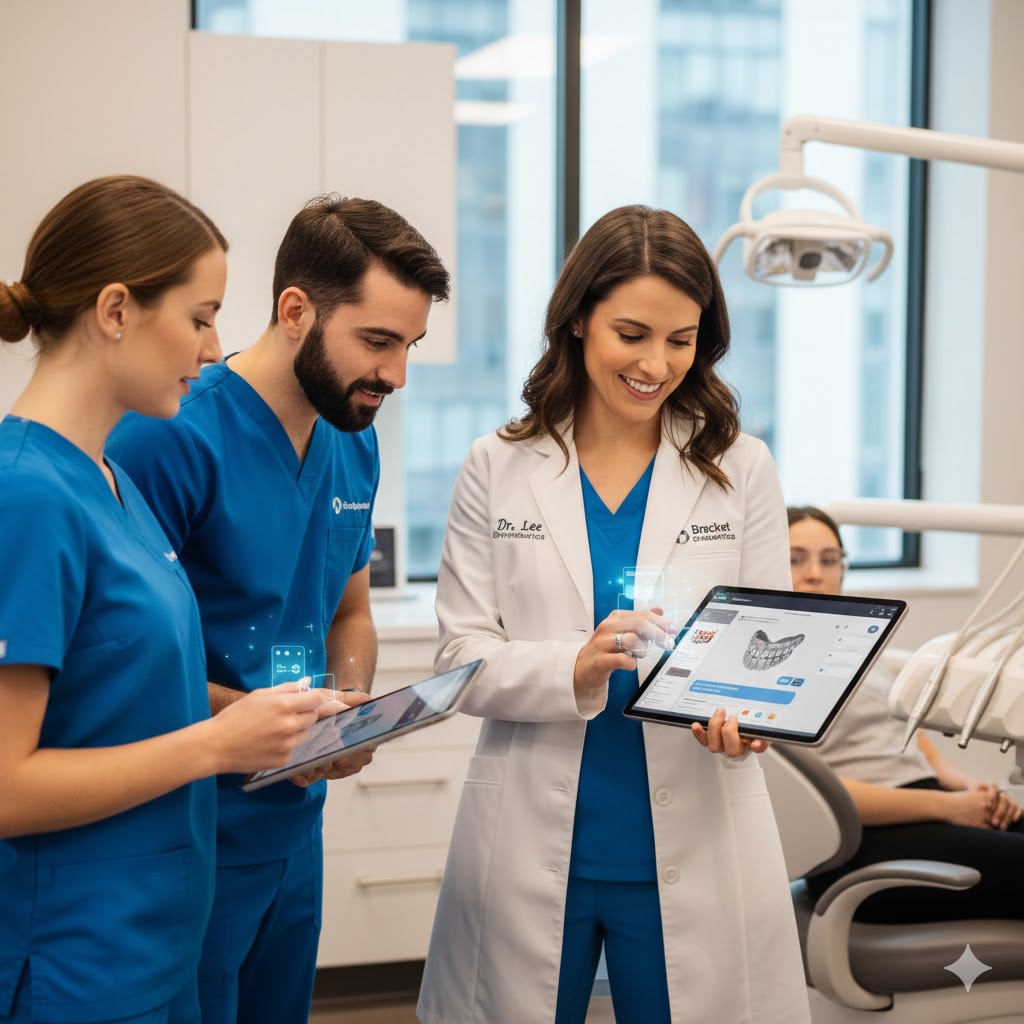
An On-Device, Always-Available Training Assistant for Orthodontic Teams.
Training orthodontic staff has historically been a challenge—especially in practices that juggle multiple locations, new hires, evolving workflows, and technology updates. Traditional onboarding often depends on one individual, requires hours of shadowing, and slows down productivity whenever team members need help.
Bracket OS solves this with AI Training Mode on iPad, the first orthodontic PMS feature that turns an iPad into a real-time, interactive training assistant.
It’s not a series of static tutorials. It’s not a PDF guide. It’s context-aware learning, powered by the same AI intelligence that drives Bracket OS’s clinical, financial, and operational modules.
Your staff learns as they work.
Your iPad becomes their coach.
A New Era of Staff Training—Right From the iPad
The iPad is already one of the most commonly used devices in modern orthodontic practices. Doctors carry it from chair to chair. Treatment coordinators use it in consults. Assistants rely on it for imaging and notes. Front office staff use it to check patients in and manage schedules.
Because of this, Bracket OS designed training to happen on the same device staff already use in real workflows—with AI guiding them every step of the way.
In AI Training Mode, team members can:
- Ask “how do I…?” questions
- Get step-by-step guidance for any task
- Watch contextual tooltips appear over the live interface
- See AI prepare sample workflows
- Practice without affecting real patient data
- Learn using interactive guidance and actions
- Receive personalized, role-based training
Staff learn faster because they learn by doing, directly in the operational environment.
On-Device, On-Demand Guidance—No Waiting, No Guessing
AI Training Mode lives inside the iPad app itself. There is no separate training system, no need for internet-dependent videos, and no delay in getting help.
The AI assistant detects what the user is trying to do and provides guidance in real time.
For example:
- A new assistant opens the imaging module → the AI highlights icon functions, demonstrates labeling, and offers tips on capturing ideal photos.
- A front desk team member tries to schedule an appointment → the AI shows where scheduling rules apply and how to configure templates.
- A treatment coordinator initiates a consult form → the AI walks them through consent selection, financial presentation, and AI-generated summaries.
- A doctor wants to see how AI-driven charting works → the training mode plays back a simulated note-creation workflow.
This isn’t just help.
It’s adaptive coaching based on user actions.
Role-Based Training Paths for Every Team Member
Training needs differ by role—front desk, TC, assistant, manager, and doctor all perform different tasks. Bracket OS AI Training Mode personalizes learning for each role.
Examples of Role-Based Modules
Front Desk / Admin
- Scheduling & rescheduling
- Insurance verification workflows
- Patient intake
- Communication tools
- Ledger management basics
- Creating and tracking tasks
Treatment Coordinators
- Consult workflows
- Financial presentation
- Digital consents
- Insurance estimates and AI-prepared summaries
- Patient education tools
Clinical Assistants
- AI imaging and record capture
- Chart updates
- Procedure documentation
- Progress note review
- Appliance and aligner workflows
Doctors
- AI note approval
- Clinical chart navigation
- Imaging analysis & comparison review
- Treatment adjustments
- AI-assisted planning
Each module adapts dynamically—if a user becomes more proficient, the AI offers deeper guidance or advanced tools.
Live Interface Overlays and Step-by-Step Guidance
One of the most powerful aspects of AI Training Mode is its ability to overlay guidance directly onto the iPad interface.
Guided Steps Look Like:
- Highlighted buttons
- Pulsing icons
- Short instructional callouts
- Micro-tutorial windows
- “Try this now” action prompts
- Live tooltips that explain what each area does
- In-context examples that use real or simulated data
Teams don’t have to jump between training videos and the PMS—they train directly inside the workflow they will actually use.
Simulation Mode: Safe Practice Without Affecting Real Data
AI Training Mode includes a “simulation mode” that lets new hires learn without touching any real patient records.
Simulation Mode Offers:
- Sample patient charts
- Fake financial data
- Simulated imaging cases
- Practice appointment blocks
- Mock insurance claims
- Pretend messaging threads
Users can practice:
- Creating appointments
- Writing notes
- Logging procedures
- Uploading and labeling images
- Initiating consents
- Running a mock consult
Because no real data is touched, staff can explore freely, make mistakes, and learn confidently.
Context-Aware Q&A: Ask Questions, Get Instant Answers
One of the most powerful features is the ability for staff to ask the AI assistant questions directly while working.
On iPad, users can simply type or speak:
- “How do I submit an insurance claim?”
- “Where do I update a patient’s contract?”
- “What does this clinical icon mean?”
- “How do I capture progress photos correctly?”
- “How do I check if a claim was paid?”
- “How do I review an aligner stage?”
The AI responds instantly—with steps tailored to the exact screen they are currently on.
This drastically reduces interruptions and dependency on senior staff.
Micro-Lessons That Adapt to Real Practice Scenarios
AI Training Mode doesn’t just teach generic workflows—it adapts lessons to common orthodontic scenarios.
Examples:
- When starting a new patient consult, the AI can walk through insurance, imaging, and financial review.
- For a debond visit, the AI can guide staff through final records, notes, and retainers.
- During new-hire onboarding, the AI gradually unlocks more advanced modules as the user becomes comfortable.
Training becomes smart, efficient, and personalized.
Continuous Learning: Staff Improve Over Time
Bracket OS AI Training Mode includes built-in skill progression.
As staff become more proficient, the AI:
- Suggests advanced shortcuts
- Reduces the number of prompts
- Surfaces deeper features
- Tracks skill confidence
- Alerts managers about completed modules
- Helps maintain consistency across team performance
Training evolves with your team instead of ending after onboarding.
Perfect for Multi-Location Practices
AI Training Mode ensures that every team member—across every location—is trained the same way, with the same standards.
Benefits for multi-location teams:
- Eliminates training inconsistencies
- Reduces reliance on one “expert trainer”
- Ensures standardized workflows
- Scales training for fast-growing practices
- Supports floating staff between locations
Every team member receives the same high-quality training, no matter where they work.
The Result: Faster Training, Lower Overhead, More Confident Staff
AI Training Mode on iPad transforms the way orthodontic practices onboard and educate their teams.
Your practice gains:
- Faster onboarding
- Higher staff confidence
- Fewer mistakes
- More consistent workflows
- Lower training costs
- Better team communication
- Standardized procedures
- Smoother growth and scaling
It’s like having a full-time trainer built directly into your PMS—available anytime, anywhere.
Conclusion: Training That Lives Where Work Happens
Bracket OS brings the future of orthodontic staff development directly to the device that drives your daily workflows—the iPad.
With real-time guidance, interactive overlays, simulation tools, role-based modules, and instant AI Q&A, your team learns faster and works smarter, all with the support of a built-in training assistant.
The result:
A confident, capable team.
Clear, consistent workflows.
A modern orthodontic practice that scales effortlessly.
Bracket OS doesn’t just power your practice—
it trains it.