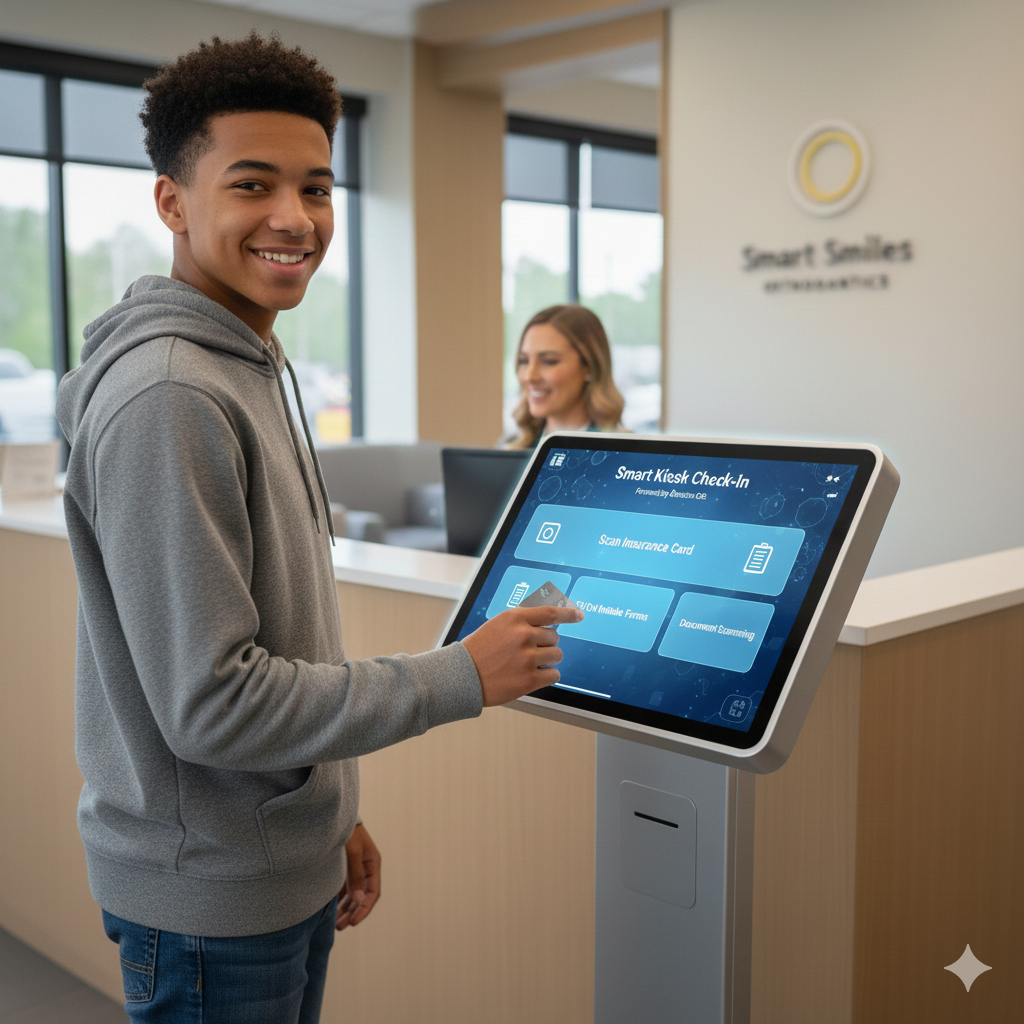
Secure, Locked-Down Patient Check-In with BracketOS
Modern orthodontic practices are redefining the patient experience through digital workflows, automation, and mobility. At BracketOS, we believe the front desk should be just as intelligent and efficient as the treatment chair. That’s why our iPad Kiosk Mode is designed specifically for orthodontic practices that want a faster, safer, and more professional patient check-in process.
BracketOS iPad Kiosk Mode offers a locked-down orientation, ensuring patients can only access what they’re supposed to—nothing more, nothing less. Combined with our AI-powered practice management software (PMS) and seamless compatibility with macOS and iPadOS, this feature transforms patient intake into a smooth, secure, and modern experience.
What Is iPad Kiosk Mode?
iPad Kiosk Mode is a secure configuration that locks an iPad into a single, dedicated function—in this case, patient check-in for an orthodontic practice. Instead of patients navigating the full iPad interface, accessing other apps, or accidentally changing settings, the device is restricted to BracketOS only.
With BracketOS Kiosk Mode enabled, the iPad becomes a purpose-built check-in station:
- No access to other apps
- No home button navigation
- No system settings changes
- No risk of data exposure
This locked-down environment ensures privacy, compliance, and consistency, even in busy, high-volume orthodontic offices.
Locked-Down Orientation: Designed for Patient Flow
One of the most important features of BracketOS iPad Kiosk Mode is locked-down orientation. Orthodontic waiting rooms are dynamic environments, and check-in stations must be intuitive for patients of all ages—from children and teens to parents and adult patients.
How Locked-Down Orientation Works
BracketOS ensures the iPad remains in a fixed screen orientation, eliminating common frustrations such as:
- Screen rotation when the iPad is moved
- Accidental landscape/portrait switching
- Misaligned forms or UI elements
The result is a consistent, predictable interface that improves usability and reduces front-desk interruptions.
Why This Matters for Orthodontic Practices
Orthodontic practices often see dozens—or hundreds—of patients per day. Locked-down orientation:
- Speeds up check-in times
- Reduces confusion for younger patients
- Minimizes staff assistance
- Keeps the workflow moving smoothly
The experience feels professional, intentional, and polished—reflecting the quality of care your practice provides.
Secure Patient Check-In You Can Trust
Security and privacy are non-negotiable in healthcare. BracketOS iPad Kiosk Mode is designed with HIPAA-conscious workflows in mind, helping protect sensitive patient information at every step.
Key Security Benefits
- Single-app access only
- Automatic session resets between patients
- No visibility into previous patient data
- Controlled admin access for staff
Once a patient completes check-in, the session automatically clears, ensuring the next patient starts with a clean slate. This is especially critical in orthodontic practices where families often check in multiple patients back-to-back.
AI-Powered Efficiency at the Front Desk
BracketOS goes beyond traditional orthodontic PMS solutions by integrating AI-driven workflows directly into the patient check-in process.
AI Enhancements in iPad Kiosk Mode
Our AI technology helps:
- Pre-fill forms using existing patient data
- Identify missing or inconsistent information
- Flag incomplete check-ins for staff review
- Reduce manual data entry errors
This means your front desk team spends less time correcting forms and more time delivering great patient service.
Designed for Mac and iPad Ecosystems
Unlike legacy practice management systems built for outdated platforms, BracketOS is natively compatible with macOS and iPadOS. Our iPad Kiosk Mode works seamlessly within Apple’s ecosystem, making it ideal for modern orthodontic practices.
Benefits of Apple-Native Compatibility
- Smooth performance on iPad hardware
- Secure device management
- Familiar interface for staff
- Long-term reliability and updates
Whether your practice runs entirely on Macs or uses iPads throughout the office, BracketOS fits naturally into your existing setup.
A Better Experience for Patients and Parents
First impressions matter—especially in orthodontics, where long-term treatment plans depend on trust and communication. BracketOS iPad Kiosk Mode helps create a positive, stress-free check-in experience.
Patient-Friendly Advantages
- Clean, easy-to-read interface
- Simple navigation for all age groups
- Faster check-in times
- Reduced waiting room congestion
Parents appreciate the efficiency. Patients appreciate the simplicity. Your staff appreciates fewer interruptions.
Ideal Use Cases for iPad Kiosk Mode
BracketOS iPad Kiosk Mode is perfect for:
- New patient intake
- Returning patient check-in
- Consent and form updates
- Insurance and contact verification
Whether placed at the front desk, mounted on a stand, or integrated into a self-service check-in station, the iPad becomes a reliable, secure entry point into your orthodontic workflow.
Why BracketOS iPad Kiosk Mode Is Different
Many PMS platforms offer basic tablet compatibility—but BracketOS is built specifically for orthodontic practices, with advanced features that go beyond generic solutions.
What Sets BracketOS Apart
- AI-powered practice management
- True locked-down kiosk functionality
- Orthodontic-specific workflows
- Native Mac and iPad compatibility
- Designed for speed, security, and scalability
This isn’t a repurposed tool—it’s a purpose-built solution for modern orthodontics.
Modernize Your Front Desk with BracketOS
The future of orthodontic practice management is intelligent, mobile, and secure. With BracketOS iPad Kiosk Mode, your practice can deliver a streamlined patient check-in experience while maintaining full control over data, devices, and workflows.
If you’re ready to reduce front-desk friction, improve patient satisfaction, and leverage AI-powered orthodontic software, BracketOS is built for you.